Ecommerce Marketing Automation Guide
At its core, ecommerce marketing automation is simply using smart software to handle the repetitive, manual marketing chores that eat up your day. Think about tasks like sending welcome emails, personalizing product recommendations, or segmenting your audience—automation does the heavy lifting for you.
This lets online stores get the right message to the right person at the perfect time, without a human needing to click "send" for every single interaction. For any online business looking to grow beyond a handful of orders, it’s not just a nice-to-have; it's fundamental.
What Is Ecommerce Marketing Automation
Imagine you ran a small-town shop. You’d greet every customer by name, remember what they bought last time, and maybe even send them a postcard if you haven't seen them in a while. Now imagine trying to do that with thousands of online customers. Impossible, right?
That's the exact problem ecommerce marketing automation was built to solve. It acts like a tireless digital assistant, working 24/7 to create those personal, timely, and relevant experiences for every single person who visits your store.
Instead of blasting a generic newsletter to your entire email list, automation software sends messages based on what a customer actually does. These actions are often called "triggers." When a customer leaves items in their cart, for example, it can automatically trigger a sequence of reminder emails. This shift from a one-to-many broadcast to a one-to-one conversation is where the magic really happens.
Moving from Manual to Automated Marketing
Without automation, most of your marketing is reactive and incredibly time-consuming. You're always playing catch-up. An automated system, on the other hand, runs on simple rules you set up just once. After that, your marketing basically runs itself. If you're new to the concept, this guide explaining what ecommerce automation is and how it works is a great place to start.
Here’s a quick look at how the two approaches stack up:
| Task | Manual Marketing Approach | Automated Marketing Approach |
|---|---|---|
| New Subscribers | You might remember to send a welcome email once a week to all the new sign-ups. | A personalized welcome email hits their inbox the instant they subscribe. |
| Abandoned Carts | You see the high abandonment rate in your analytics but have no practical way to follow up. | A reminder email goes out automatically 2-4 hours after a cart is abandoned, often saving the sale. |
| Customer Feedback | You manually pull a list of recent buyers and send them a survey request. | A feedback request is triggered automatically 14 days after a product is delivered. |
This systematic approach frees up your team to focus on the big picture—like developing new products or building your brand—instead of getting lost in the weeds of daily, repetitive tasks.
The real power of marketing automation isn't just about saving time. It's about creating a customer journey that feels personal and responsive at a scale that would be completely impossible to manage by hand.
Ultimately, ecommerce marketing automation is more than just a piece of tech; it’s a strategy for building stronger, more profitable customer relationships. By delivering the right content at the moments that matter most, you can:
- Turn curious new leads into first-time buyers.
- Recover sales you would have otherwise lost.
- Encourage repeat purchases with smart post-purchase follow-ups.
- Win back old customers who have gone quiet.
Building Your Most Profitable Automation Workflows
Once you get the hang of what ecommerce marketing automation can do, the real fun begins: building the specific workflows that actually make you money. Don't think of these as just a bunch of emails. Think of them as automated conversations, carefully designed to guide shoppers along their journey with you.
Each workflow targets a critical moment—a fork in the road where the right message at the right time can turn a window shopper into a loyal customer for life.
The trick is to start with the heavy hitters. Focus on the automations that solve your biggest, most expensive problems, like abandoned carts or making a great first impression with new subscribers. Nail these first, and you'll see a real return on your efforts, fast.
The Essential Four Automation Workflows
While you can automate just about anything, four core workflows are the bedrock of any profitable ecommerce strategy. Master these, and you'll see an immediate lift in sales, engagement, and customer loyalty.
- The Welcome Series: This is your digital handshake. It’s a sequence of emails you send to new subscribers to introduce your brand, build some trust, and nudge them toward that all-important first purchase.
- The Abandoned Cart Sequence: This is your safety net. It targets shoppers who add products to their cart but bail before checking out. It’s the single most powerful tool you have for clawing back lost sales.
- The Post-Purchase Follow-Up: This kicks in right after a customer buys. It’s all about squashing buyer's remorse, gathering priceless reviews, and planting the seed for their next purchase.
- The Win-Back Campaign: This one’s for the customers who’ve gone quiet. The goal is to reignite their interest and bring them back into the fold before they forget about you completely.
The Welcome Series: Turning Subscribers into Customers
A welcome series is so much more than a simple "hello." A great one starts building a genuine relationship from the moment someone signs up. Instead of a single, lonely email, a 3-part series usually hits the sweet spot, with each message playing a specific role.
- Email 1 (Immediately): Deliver the goods. If you promised a discount for signing up, send it right away. This simple act builds instant trust and gives them a clear reason to shop.
- Email 2 (Day 2): Tell your story. What makes you different? Maybe it’s your unique founding story or your commitment to sustainable materials. This is where you connect on a human level.
- Email 3 (Day 4): Show, don't just tell. This is where you bring in the social proof. Feature your best-sellers, glowing reviews, and photos from happy customers to build confidence and help them decide what to buy first.
A strong welcome series is your best shot at converting a curious browser into a paying customer. It sets the tone for everything that follows and can give your conversion rates a serious boost.
The numbers don't lie. Even though automated messages account for just 1.8% of all email sends, they drive a staggering 31% of all email orders. That massive gap shows you just how powerful it is to send the right message at the right moment. And leading the charge are cart abandonment workflows, which make up 54.2% of all ecommerce automation, making them the undisputed king of revenue recovery.
This is what that impact looks like in practice:
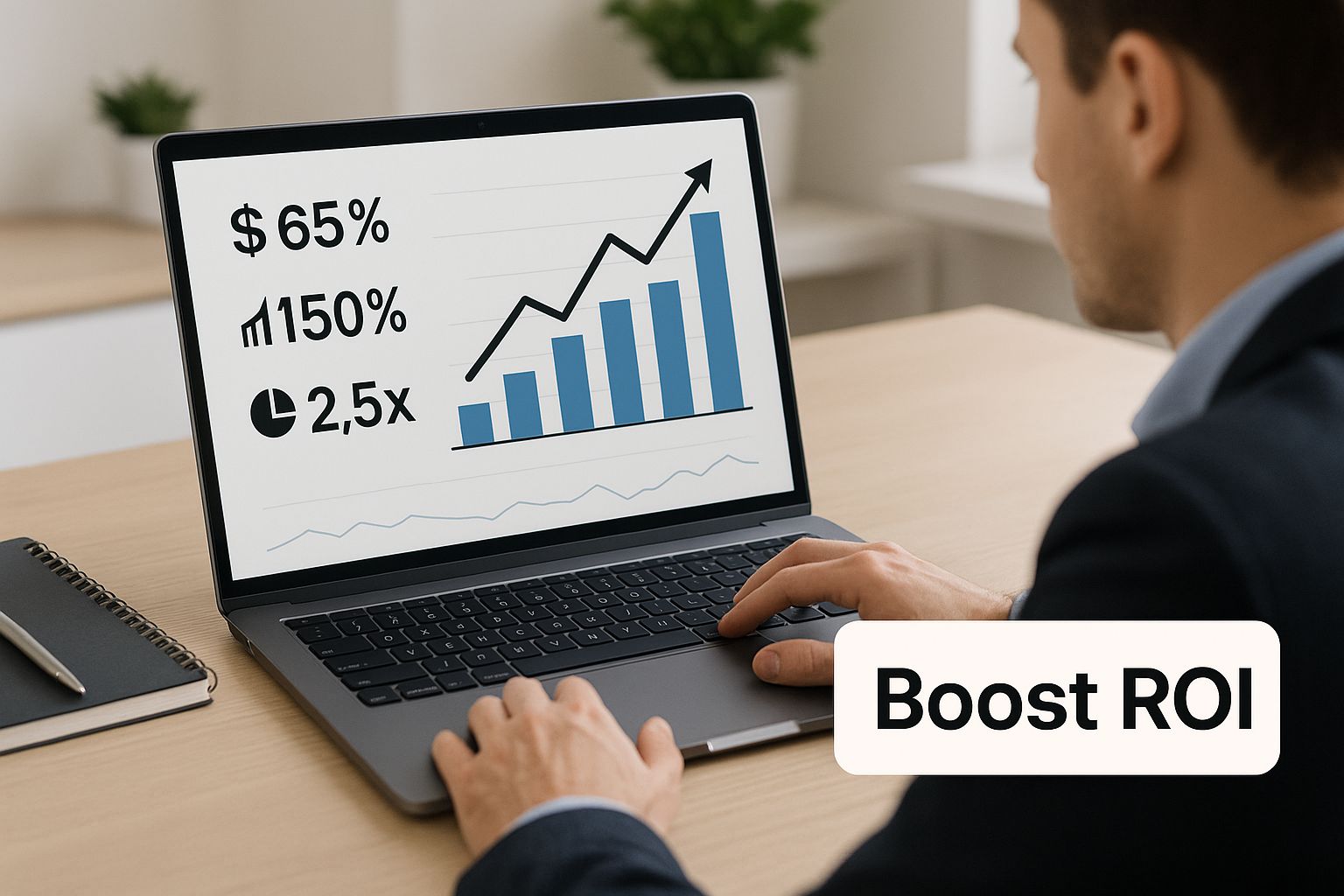
As you can see, putting these targeted automations in place is a straight line to better ROI. It's about turning those near-misses into wins.
The Abandoned Cart Sequence: Recovering Lost Sales
Every online store deals with abandoned carts. It's just part of the game. But they're also a golden opportunity. A well-timed abandoned cart sequence can pull a huge chunk of that lost revenue right back into your business. This is where ecommerce marketing automation has a direct, measurable impact on your bottom line.
A classic three-email sequence is the standard for a reason—it works.
- Email 1 (1-4 hours after abandonment): The gentle nudge. Keep it low-pressure. You're just reminding them they left something behind. Life happens, and sometimes a simple reminder is all it takes.
- Email 2 (24 hours later): Address the hesitation. Use this email to tackle common worries. Talk up your easy return policy, highlight your customer support, or sprinkle in a few product reviews to build confidence.
- Email 3 (48-72 hours later): Create a little urgency. This is your final push. Try offering a small, limited-time incentive like a discount or free shipping to give them a compelling reason to finish their purchase now.
Expanding Automation with Chatbots and Post-Purchase Care
Email is powerful, but it's not the only game in town. Other automated tools can seriously level up the customer experience and drive more sales. For a deep dive, check out this ultimate guide to chatbot in ecommerce. Chatbots, for example, can answer questions on product pages or during checkout, stopping cart abandonment before it even starts.
And don't forget what happens after the sale. The post-purchase and win-back automations are your keys to long-term growth. A post-purchase series can ask for a review, offer tips on using the new product, or cross-sell related items. A win-back campaign can re-engage customers who've gone cold with an exclusive offer, reminding them why they liked you in the first place.
How To Choose the Right Automation Platform
Picking the right ecommerce marketing automation software is like choosing a co-pilot for your business. The right one makes the journey smoother, faster, and way more profitable. The wrong one? It just leads to frustration, wasted cash, and a whole lot of turbulence.
This decision isn't about finding the single "best" platform on the market; it's about finding the best one for you. A tool that’s perfect for a multi-million dollar enterprise is going to be total overkill for a startup. And that simple tool a small shop loves could seriously hold a growing business back.
Before you even glance at a feature list, you need to get crystal clear on your own needs. Nail this part, and you’ll save yourself from being dazzled by flashy features you’ll never use or, even worse, getting locked into a contract that just doesn't fit.
Start By Answering These Four Questions
To cut through the noise and narrow down the options, you have to start with an honest look in the mirror. This little internal audit is the most critical step in the whole process.
- What's your budget? Be realistic. Platforms range from free starter plans to thousands of dollars a month. Knowing what you can actually spend immediately filters out a huge chunk of the market.
- How tech-savvy is your team? Do you need a dead-simple, drag-and-drop interface, or is your team comfortable getting their hands dirty with more complex setups? Matching the tool to your team's skills prevents a steep, painful learning curve.
- What ecommerce platform are you on? This is a big one. Your automation tool must play nicely with your store (think Shopify, WooCommerce, BigCommerce). Bad integrations create data headaches and totally defeat the purpose of automating anything.
- What's your #1 goal right now? Are you laser-focused on recovering abandoned carts? Building a killer welcome series for new subscribers? Or diving deep with advanced segmentation? Pinpointing your top priority helps you focus on platforms that crush that specific task.
Answering these gives you a clear checklist. As you start looking at tools, you can quickly say "no" to anything that doesn't line up, saving you countless hours of demos and research.
Your ecommerce marketing automation platform should feel like a natural extension of your business, not some foreign piece of tech you have to wrestle with. The goal is to find a tool that bends to your workflow, not the other way around.
Comparing Key Platform Features
Once you've mapped out your internal needs, you can start comparing platforms based on the features that actually move the needle. Every tool has a laundry list of capabilities, but they aren't all created equal. Zero in on these core areas.
A side-by-side comparison really clarifies where each platform shines. You’ll quickly see that some are built for ease of use, while others offer incredibly powerful—but complex—segmentation engines.
Comparing Top Marketing Automation Platforms
To help you visualize the differences, let’s look at how the top ecommerce marketing automation platforms stack up. This isn’t about declaring a single winner, but about matching the right tool to the right job. Each one has its own strengths, ideal user, and pricing philosophy.
| Platform | Ideal For | Key Features | Integration Strength | Pricing Model |
|---|---|---|---|---|
| Klaviyo | Ecommerce Stores (especially Shopify) | Deep data integration, pre-built flows, email & SMS, predictive analytics. | Excellent with major ecommerce platforms. | Based on contact/profile count and email/SMS volume. |
| HubSpot | B2B & Complex Sales Cycles | All-in-one CRM, sales, marketing & service hubs, powerful workflow builder. | Extremely strong across a vast app ecosystem. | Tiered plans (Starter, Pro, Enterprise) based on features. |
| Mailchimp | Startups & Small Businesses | User-friendly email editor, basic automations, landing pages, simple CRM. | Good, with many integrations but less deep data sync. | Based on contact count and feature tier. |
| MarketBetter | Growth-Focused Teams | AI-powered personalization, multichannel outreach (email, video, chat), lead enrichment. | Strong with CRMs and sales tools; designed for end-to-end workflows. | Tiered plans based on credits and features. |
This comparison highlights a critical truth: there's always a trade-off. The most user-friendly platform might not have the deepest analytics. The most powerful AI tool might come with the highest price tag. Knowing your priorities allows you to make the right compromise. If you're curious how AI-powered platforms like ours are structured, you can explore the different options available in our pricing and plans.
Ultimately, your goal is to find the sweet spot—a platform that nails 80% of your needs today and has the room to grow with you tomorrow. Don't chase perfection; chase the perfect fit for your business.
Putting Your First Automation Workflow Into Motion, Step-by-Step
Alright, enough theory. It's time to get your hands dirty. The single best way to really get the power of ecommerce marketing automation is to build your first workflow, and there's no better place to start than the abandoned cart sequence.
Why this one first? Because it’s the highest-impact automation you can possibly build, going straight after lost revenue. You’ll see measurable results almost immediately.
This isn’t going to be some technical deep dive. We’ll keep it simple and practical, breaking the whole thing down into small, manageable steps. We'll walk through setting the trigger all the way to writing a simple three-email series. No coding, no wizardry required.
Step 1: Define Your Trigger and Your Goal
Every automation kicks off with a "trigger"—a specific action a customer takes that starts the whole process. For an abandoned cart sequence, that trigger is beautifully simple: someone adds an item to their cart, maybe even starts the checkout, but then vanishes before paying.
Your goal is just as clear: recover the sale. Every single part of this workflow—from the timing of each email to the words you use—needs to be laser-focused on one thing: gently nudging that customer to come back and finish what they started.
Step 2: Map Out a Simple Three-Email Sequence
A three-email sequence is the industry standard for a reason. It hits the sweet spot between being persistent and just being annoying. One of the biggest mistakes I see is rushing to throw a discount at them in the first email. A more gradual, helpful approach almost always works better.
Here’s a proven structure that just plain works:
- Email 1 (Send 1-4 hours after they leave): The Gentle Reminder. This is a low-pressure, "hey, did you forget something?" kind of email. Life happens. Maybe their internet dropped, or the dog started barking. A simple nudge is often all it takes.
- Email 2 (Send 24 hours later): The Confidence Builder. Okay, they didn't come back right away. Now it's time to address whatever might be holding them back. Use this email to showcase glowing customer reviews, remind them of your easy return policy, or link directly to your support chat.
- Email 3 (Send 48-72 hours later): The Final Incentive. If they're still on the fence, it's time to create a little friendly urgency. This is where you can offer a small, time-sensitive incentive like 10% off or free shipping to get them over the finish line.
Here’s a peek at what this looks like inside an automation tool like Klaviyo. You can visually see the trigger, the time delays, and how the emails are spaced out.
Seeing it mapped out like this makes it obvious how each step flows logically into the next, ensuring your messages land at just the right time.
Step 3: Write Email Copy That Actually Gets Clicked
Now for the fun part: writing the emails. Keep your copy short, personal, and focused on a single, clear call-to-action (CTA).
The best abandoned cart emails feel less like a marketing blast and more like helpful customer service. Use a friendly, conversational tone and make it incredibly easy for the shopper to pick up where they left off.
A few tips to get you started:
- Write an Intriguing Subject Line: Ditch "You left items in your cart." Try something with a little more personality, like "Your tea is waiting for you" or "Did you see something you liked?"
- Show, Don't Just Tell: This is non-negotiable. Always include images of the exact products they left behind. That visual reminder is incredibly powerful.
- Create Scarcity (But Be Honest): If an item is genuinely low in stock, say so. A simple "Items are selling fast" can add a little push without being sleazy.
- End with a Crystal-Clear CTA: Your button should be big, bold, and impossible to miss. Use direct, action-focused text like "Return to Your Cart" or "Complete My Purchase."
Follow these steps, and you'll have a powerhouse abandoned cart workflow running on autopilot, winning back sales while you focus on growing your business.
And if you want to take it a step further, you can explore adding dynamic visuals to your messages. Learning more about video email automation can show you how to make your follow-ups even more engaging and persuasive.
Using AI for Smarter Ecommerce Personalization
Rule-based automation is a fantastic workhorse. You set up "if-this-then-that" rules, and it executes them flawlessly, like a perfect employee following a script. But what if your automation could do more than just follow orders? What if it could think?
This is where artificial intelligence (AI) comes in. It takes your ecommerce marketing automation from a reliable tool to a strategic powerhouse. Instead of just following the rules you give it, AI learns from your customer data to make its own smart decisions. It's the difference between an employee who sticks to a script and one who truly understands what a customer wants and adapts on the fly.
And this isn't some far-off future concept; it's happening right now. The AI-enabled ecommerce automation market is already worth around $8.65 billion, and by 2025, 92% of companies expect automation to be essential. With 93% of businesses already seeing AI as a competitive advantage, the writing is on the wall. To learn more, read about the growing adoption of automation and see how businesses are gearing up.
Moving Beyond Simple Triggers
Your standard automation runs on simple triggers. A customer buys running shoes, so your system sends them an email about running socks a week later. It’s logical, but it’s still just a guess—a one-size-fits-all approach.
AI goes so much deeper. It doesn't just look at that single purchase. It analyzes thousands of other data points: what other runners bought, what this specific customer browsed before buying, how long they hovered over certain product pages, and even their typical shopping times.
From all that data, the AI might figure out this particular customer is way more likely to be interested in a high-tech GPS watch than a pair of socks. So, it dynamically swaps out the email content to feature that specific watch, pulling in top reviews and highlighting key features.
AI flips your marketing from reactive to predictive. It stops making educated guesses based on the past and starts anticipating what your customers will want next, creating an experience that feels like it was built just for them.
Predictive Analytics and Dynamic Content
One of the most powerful things AI brings to the table is its ability to predict customer behavior. By crunching the numbers and spotting patterns, AI models can flag customers who are at risk of churning long before they actually stop buying. This gives your automation the heads-up to trigger a proactive win-back campaign with a targeted offer to keep them in the fold.
This same intelligence fuels dynamic content, turning your static website into a living, breathing storefront that adapts to every visitor.
- A first-time visitor arrives from a tech blog? The AI might greet them with your latest gadgets and cutting-edge products.
- A loyal customer who always buys outdoor gear logs in? The homepage immediately showcases new hiking boots and waterproof jackets.
This isn't just about changing a banner image. AI can adjust everything—product recommendations, headlines, promotional offers—all in real-time, based on who's looking. This kind of personal touch makes the entire shopping journey more relevant and engaging, which is a surefire way to boost conversions and build lasting loyalty.
Measuring and Improving Your Automation ROI
Getting your automation workflows live is a huge win, but it’s the starting line, not the finish. If you really want to see game-changing results, you have to shift your mindset from "set it and forget it" to "measure, test, and improve."
Think of it like a chef perfecting a new soup. You wouldn't just throw the ingredients in the pot and hope for the best. You'd taste it, adjust the seasoning, taste again, and keep refining until it's perfect. That's exactly how you should treat your automation. The goal isn’t just to see if people opened your emails; it's to prove—with hard numbers—that your efforts are making the business money.
Key Metrics That Actually Matter
To get a real picture of your ROI, you have to look past vanity metrics like open rates. You need KPIs that tell the true story of your financial impact.
- Revenue Per Automated Email: This is your north star. It’s a simple, brutal calculation of exactly how much money each automated message generates. No hiding from this number.
- Automated Conversion Rate: This shows you the percentage of people who actually took the action you wanted—usually making a purchase—after getting an automated touchpoint.
- Cart Recovery Rate: For your abandoned cart flows, this is the big one. It measures the percentage of carts that your automation successfully brought back from the dead and turned into sales.
- Customer Lifetime Value (CLV) Impact: This is the long game. It analyzes how your automation influences the total amount a customer spends with you over their entire relationship. Getting your lead scoring right can have a massive effect here; you can learn more about using AI for smarter lead scoring to zero in on your most valuable prospects from the start.
How to Systematically Get Better Results
Knowing your numbers is one thing. Using them to make smarter decisions is where the real growth happens. This is where A/B testing (or split testing) becomes your most powerful tool.
A/B testing takes the guesswork out of the equation. Instead of thinking you know what works, you let your customers’ actions give you a definitive, data-backed answer.
The process is simple: you create two different versions of one element in your workflow, show each version to a different slice of your audience, and see which one performs better.
Easy A/B Tests You Can Run Tomorrow:
- Subject Lines: Test something direct like "Your items are waiting" against a subject line that dials up the urgency, like "Your cart expires soon!"
- Call-to-Action (CTA) Copy: Pit different button text against each other. Does "Complete Your Order" work better than "Take Me Back to My Cart"? Only one way to find out.
- Timing and Cadence: Experiment with the delay on your abandoned cart emails. Does sending the first reminder after just one hour outperform waiting four hours?
By constantly testing, learning, and rolling out the winners, you build a powerful feedback loop. It's a cycle of continuous improvement that will squeeze every last drop of ROI out of your marketing automation.
A Few Common Questions About Ecommerce Automation
Even with a solid game plan, it’s smart to have a few questions before you jump headfirst into ecommerce marketing automation. Let's tackle some of the most common ones I hear from B2B marketers, so you can move forward feeling confident.
Getting these answers straight helps you build the business case for automation. This isn't about just bolting on another tool; it's about investing in a system that drives real, measurable growth and gives your team back some precious time.
How Much Does Ecommerce Marketing Automation Cost?
The price tag can swing pretty wildly depending on your contact list size and the features you actually need. A lot of platforms offer free starter plans if you're working with a small database, usually under 500 subscribers. This is a great way for smaller businesses to kick the tires on core features without a big financial commitment.
Once you start growing, paid plans can run anywhere from $20-$50 per month for the essentials, like abandoned cart reminders. More sophisticated platforms that use AI for personalization and sync across multiple channels can climb into the hundreds per month. The trick is to find a plan that fits you now but has room to grow with you.
The classic mistake is paying a premium for a ton of advanced features you won't touch for another two years. Start lean. Prove the ROI on the basics, and then level up your plan as your revenue and needs expand.
Will This Make My Marketing Feel Robotic to Customers?
That’s a totally fair question. But honestly, the goal of good automation is the complete opposite. It’s about using rich customer data—what they’ve bought, what they’ve browsed, how they engage with your emails—to send messages that are incredibly relevant and perfectly timed.
Think about it. Instead of getting a generic weekly newsletter, a customer gets a helpful tip about the product they just bought. Or a recommendation for something that pairs perfectly with their last purchase. When you do it right, ecommerce marketing automation feels less like a robot and more like a genuinely helpful personal shopper.
What’s the Real Difference Between Email Marketing and Marketing Automation?
This is a big one, because it gets to the heart of the strategic shift you're making. Standard email marketing is often about "blast" campaigns—one-off messages sent to a big list. Automation, on the other hand, is a smarter system built on triggers from customer behavior.
| Aspect | Standard Email Marketing | Marketing Automation |
|---|---|---|
| Trigger | Manual send (e.g., weekly newsletter) | Customer action (e.g., abandons cart) |
| Audience | One-to-many (the whole list) | One-to-one (based on individual behavior) |
| Timing | Scheduled by you | Instant and in the moment |
| Complexity | Simple, single messages | Multi-step, "if-then" workflows |
Here’s an analogy: email marketing is like handing out flyers on a busy street. Marketing automation is like having a personal conversation with every single person who shows real interest in your shop. You're moving from broadcasting to conversing.
Ready to stop guessing and start growing with AI-driven precision? marketbetter.ai integrates content creation, campaign management, and customer personalization into a single, powerful platform. See how our AI can help you create better content 5x faster and improve campaign conversions by 15%.